 Oculo
Oculo
A few minutes a day, without the setup
Three questions once, then nothing to configure and nothing to sign into. Open it, press start, go back to what you were doing.
Tired right now?
One tap starts a short relaxation session. No questions, no settings, no waiting. That is why it sits one tap from the home screen and stays in the free set.
A plan for today
Answer three questions once. Oculo builds a three-to-five-minute daily set and adjusts it to how often you actually practise.
Pick it yourself
24 exercises in five categories: warm-up, movement, focus, peripheral, relaxation. Open the library and choose, no plan required.
One reminder, one streak
A single daily reminder, not a stream of them. The streak picks up again the day you come back, and nothing scolds you for the days you missed.
How it works
The same app on iPhone and Android. One codebase, one design.
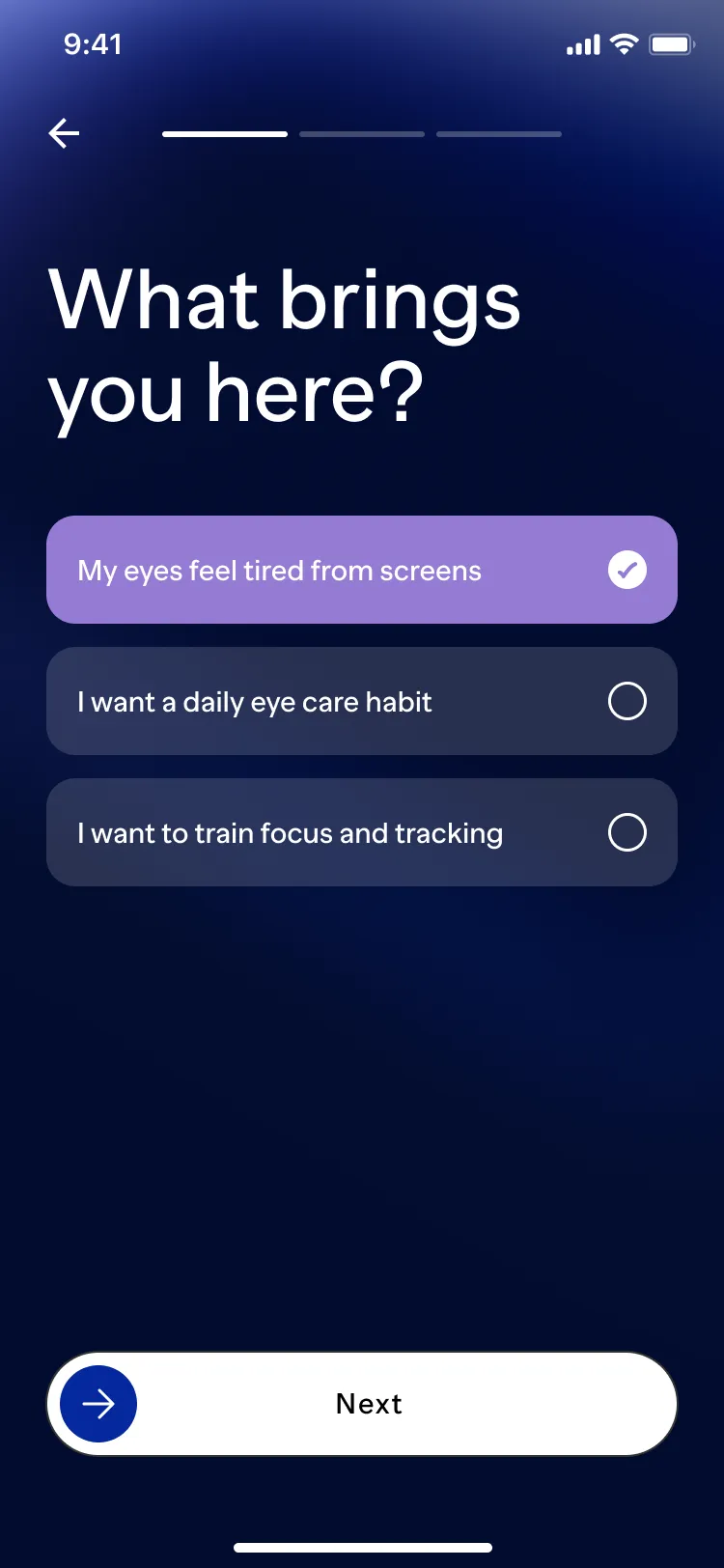
Answer three questions
Your goal, your screen time, how often you want to practise. That is the whole setup.
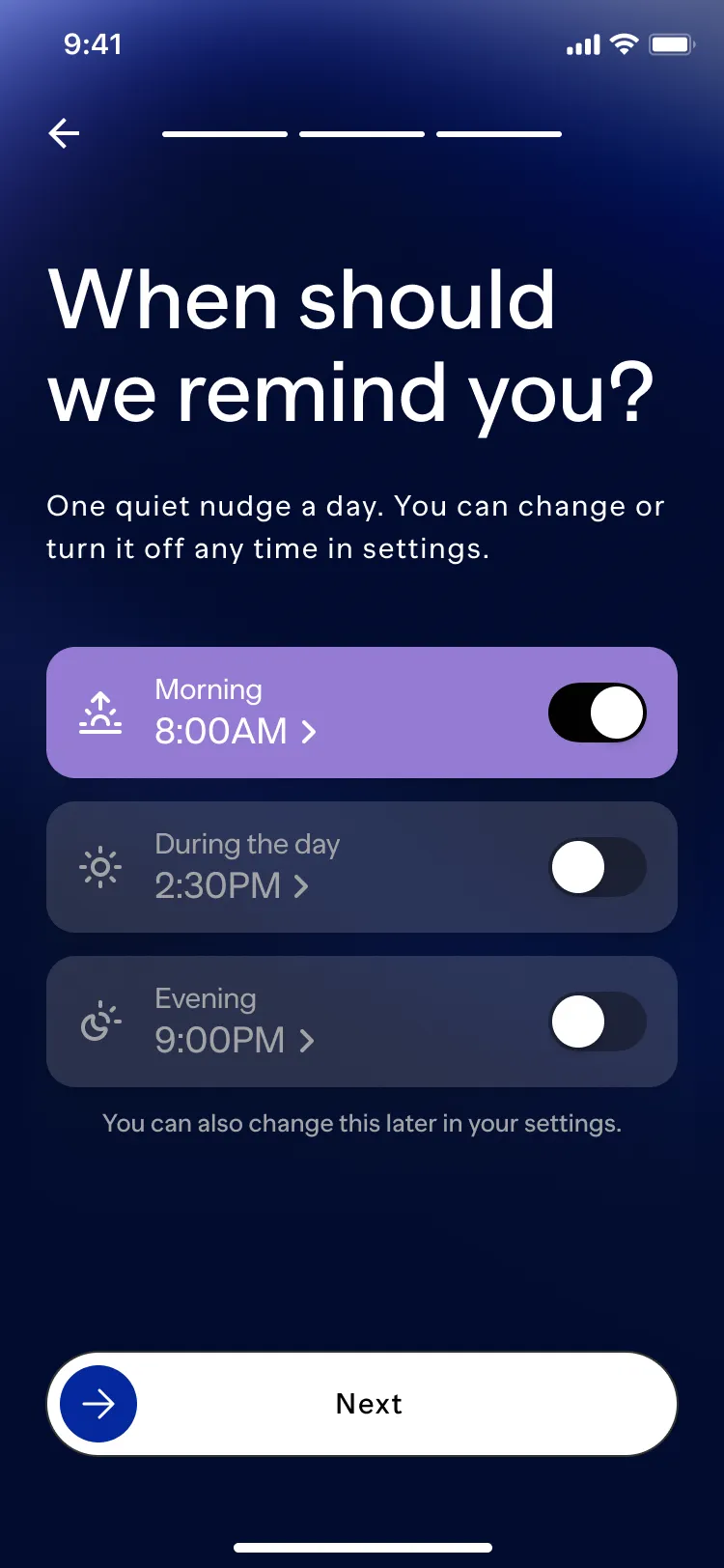
Pick when to be reminded
Morning, afternoon or evening. One a day, and you can change it or turn it off later in settings.
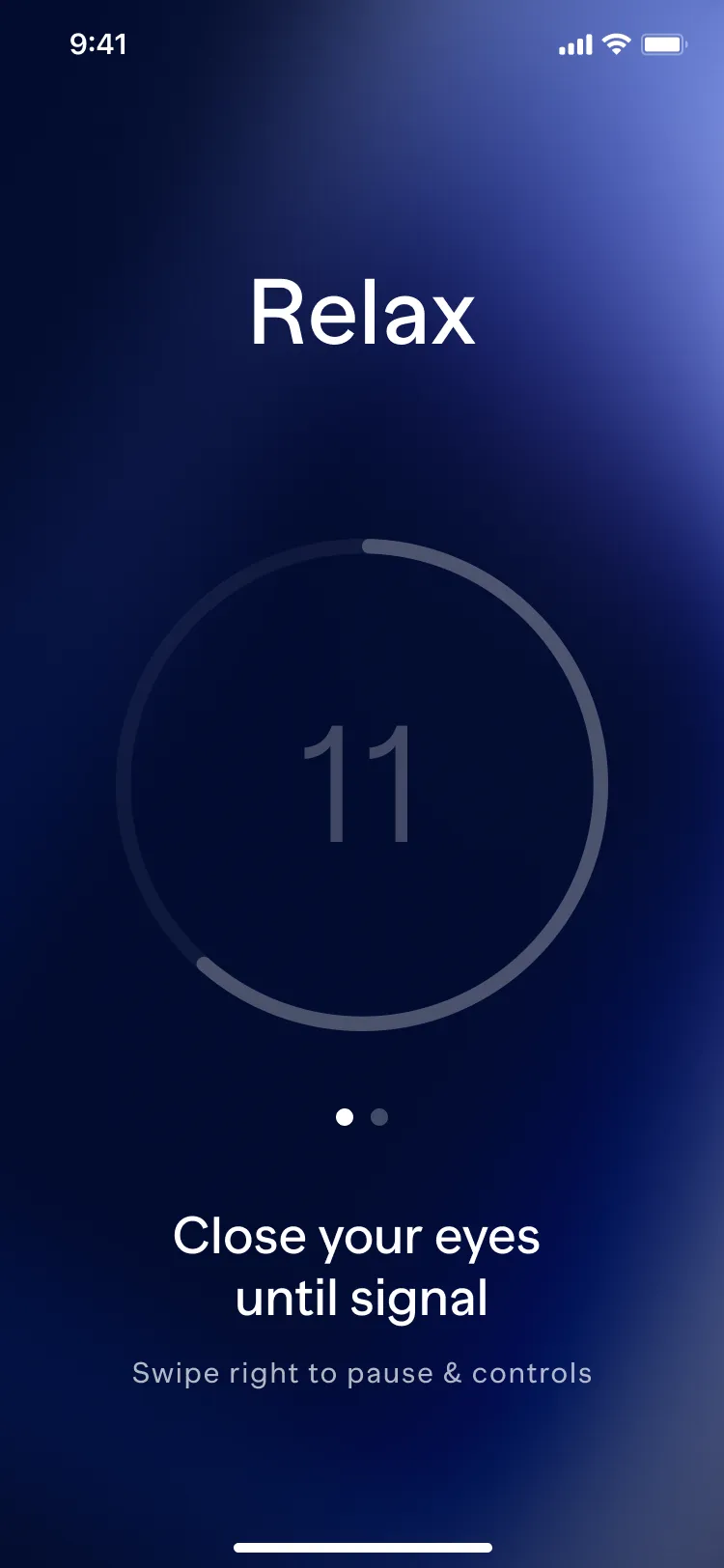
Press start and follow along
Oculo shows what it picked and how long it takes before you begin. Then: smooth animations on a dark screen, voice and text cues, adjustable volume. Pause whenever you like, the session waits.
The library
Seven exercises are free, with no time limit, enough to build the habit before you decide about Pro.
24exercises in five categories
- Warm-up
- Easy movements for when you have been fixed on one distance for a long time
- Movement
- Tracking and quick gaze jumps across the screen
- Focus
- Shifting between near and far, and holding a steady gaze
- Peripheral
- Noticing what happens at the edge of your field of view
- Relaxation
- Blinking rhythm, a screen-free pause with your eyes closed, resting the gaze, breathing
Every exercise explains itself the first time you meet it, and the card stays one tap away.
The sphere knows how long it has been
The home screen holds one object, and its colour is how Oculo shows the time since your last session. You read it at a glance when you open the app, and it never calls a missed day a failure.
Mint. You are done for the day. This is also what a brand new install shows, because nobody should open an app to be told off for something they have not had a chance to do.
Lilac. Time for today’s session. One session returns it to mint, whatever the streak says.
Amber. The gap is adding up. The colour shifts gradually, and no notification mentions it.
Coral. It has been a while. Not a warning and not a score: the colour changes, the words stay neutral, and a single session puts it back.
Built for eyes that are already tired
An app about vision has to work for someone who sees badly. That is checked on every screen from the first day, not before release.
- Text that scales. Designed and tested at 200% system text size.
- Screen reader support. Buttons, states and progress are announced, not just drawn.
- Contrast first. Text on the dark background is checked against WCAG AA.
- Reduce Motion. Turn it on in your system settings and the animations calm down instead of disappearing.
Honest about what this is
Eye muscle exercises do not change your refraction. We would rather say that plainly than sell you something else.
Oculo does
- help you ease digital eye strain after a long screen session;
- train visual skills: focusing, tracking, coordination, peripheral awareness;
- turn eye care into a daily habit with short sessions, reminders and a streak;
- teach relaxation and eye-hygiene practices such as the 20-20-20 break;
- adapt the daily plan to your goal, your screen time and how regularly you practise.
Oculo does not
- treat or promise to cure myopia, hyperopia, astigmatism or any other condition;
- replace an eye doctor, an optometrist or an in-person examination;
- work as a medical device;
- promise better acuity or life without glasses.
If your eyes hurt, your vision changes, or discomfort does not go away, see an eye care professional.
There is no AI in the plan. It is built by transparent rules from your answers and your history, and nothing else.
Before you start. Some exercises use moving shapes and brief flashes of light. If you have a diagnosed eye condition, recent eye surgery or an eye injury, migraines, epilepsy or any photosensitive condition, or you are pregnant, talk to your eye care professional first. The full health and safety notice is in the Terms of Use.
Your data stays on your phone
There is no server holding your history, because there is no server.
- No account. Nothing to sign up for, nothing to log into.
- Works offline. The only thing that needs the network is a purchase.
- Diagnostics are off until you turn them on. Analytics and crash reports stay disabled unless you opt in, and you can switch them off again in Settings.
- No ads. No selling data to anyone.
Free to start, Pro when you want everything
The free set covers the quick relaxation session and the daily plan. Pro is the rest of the library.
Free
€0
Seven exercises, the daily plan, the quick “Tired right now” session, reminders and the streak. No ads, no time limit.
Oculo Pro
€49.99 per year, after a 7-day free trial
All 24 exercises, the adaptive daily plan, everything in Free.
- about €4.16 per month
- or €12.99 monthly
Prices are shown for the euro zone; your store shows the price in your currency. Subscriptions renew automatically at the end of each period unless you cancel at least 24 hours before it ends. A free trial converts into a paid subscription on the same terms unless you cancel before it ends. The trial length and the price after the trial are shown before you confirm. Cancel any time in your App Store or Google Play settings. See the Terms of Use and the Privacy Policy.
Questions
Will this improve my eyesight?
No. Oculo does not change your prescription and does not treat eye conditions. What it does is give your eyes regular breaks from the screen, a few minutes of movement and relaxation, and a habit that holds.
Is it safe?
The sessions are built from gentle eye movements, blinking and relaxation. Nothing presses on your eyes, and no exercise asks you to strain: the one exercise that covers the eyes has you rest your palms on the cheekbones and forehead, with no pressure. Whether that is right for your eyes is a judgement only you and your eye care professional can make. Some exercises use moving shapes and brief flashes of light. If you have a diagnosed eye condition, had eye surgery or an eye injury, get migraines, have epilepsy or any photosensitive condition, or are pregnant, ask a professional before you start. Stop if you feel pain, dizziness, nausea or any change in your vision.
Do I need an account?
No. There is no sign-up and no login. Your history lives on your phone.
Does it work offline?
Yes, completely. Only a purchase needs the network.
How long is a session?
The daily plan is three to five minutes. Instant relief is shorter. You can stop at any point and the session waits for you.
Can I use it with glasses or contact lenses?
Yes. Keep whatever you normally wear, the exercises do not depend on it. The eyes-closed exercises are more comfortable without lenses if yours feel dry. If something feels wrong, stop.
How do I cancel Oculo Pro?
In your store settings: on iOS, Settings, your name, Subscriptions; on Android, Google Play, Payments and subscriptions. Deleting the app does not cancel a subscription.
Who is it for?
Adults with a lot of screen time: office work, development, studying. Oculo is not designed for children and is not intended for use by them.
Which languages does it speak?
English and Spanish at launch. German, Brazilian Portuguese and French are next.
Something broken? Something missing?
Write to support@oculo.day. One person reads that mailbox, and replies usually come within a few working days.